Choose restaurant, bakery, hotel, catering, café-bar or mixed operations and understand what changes in presets.
Industry helps KlyraOS suggest more relevant initial job roles and configurations. It does not restrict modules or replace roles and permissions: it is an organisational starting point you can adapt to how the business actually works.
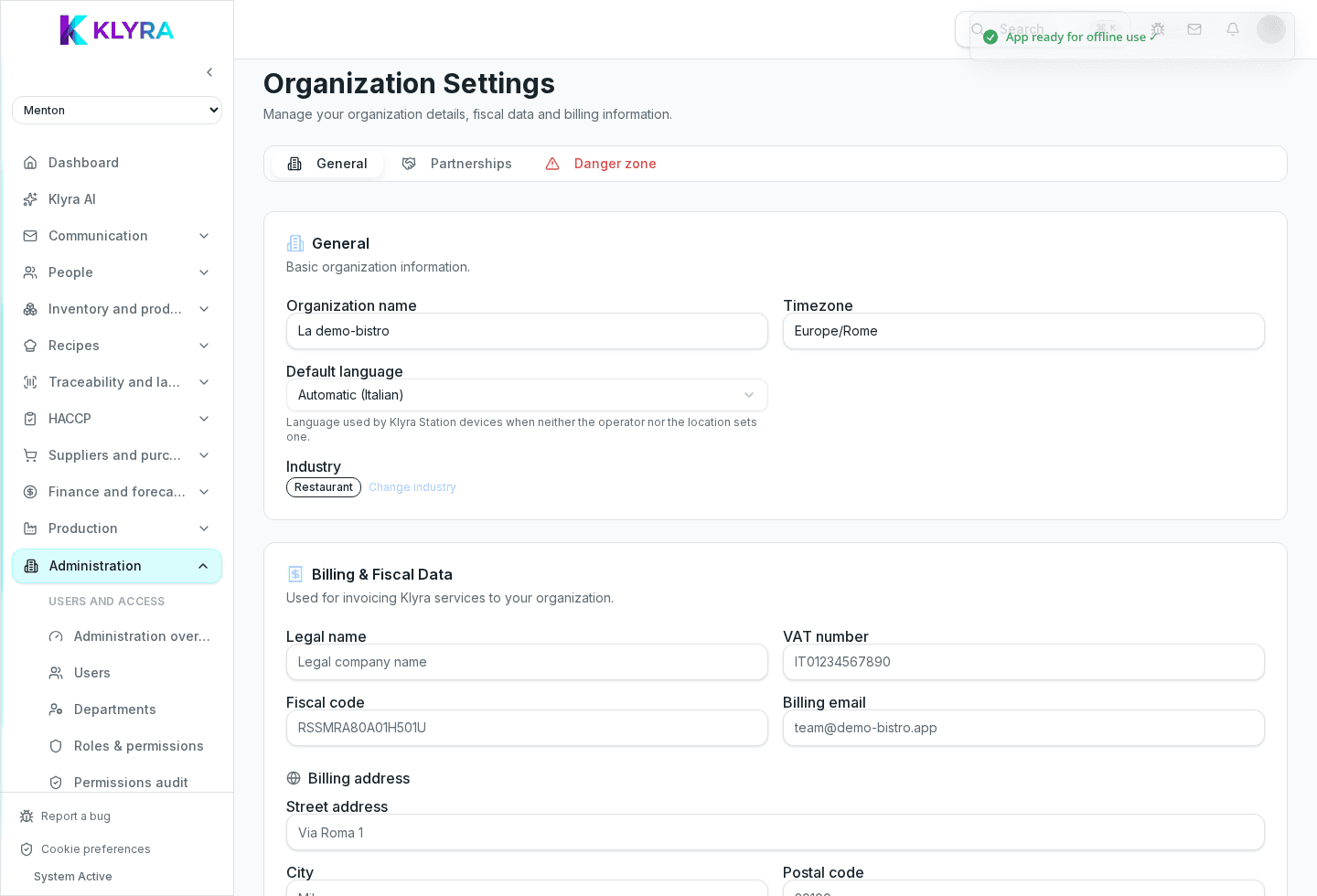
Choose restaurant, bakery, hotel, catering, café-bar, mixed or other. With Mixed, select one or more sub-sectors to represent operations combining different services.
When saved, KlyraOS applies job-role presets relevant to the chosen industry. Presets accelerate setup, but never grant permissions automatically and do not replace roles or job assignments decided for each person.
You can change industry as the business evolves. Before saving, review existing presets and job roles: the new industry adds its suggestions, while actual staff assignments must be reviewed by an administrator.
For a hotel with a restaurant or bakery with a café, choose Mixed and select every relevant sub-sector. KlyraOS applies each set of presets without forcing the organisation into one category.
Does changing industry disable modules?
No. Industry guides initial presets and never disables organisation features automatically.
Does industry assign staff permissions?
No. Roles, presets and personal permissions remain separate and need an explicit decision.
Which industry fits a hotel with a restaurant?
Choose Mixed, then select Hotel and Restaurant as sub-sectors.
Can I change industry after launch?
Yes. Review added job roles and presets afterwards to keep them aligned with the real organisation.
Was this guide helpful?
Still need help?
Describe the issue: page, location, organisation and role are attached automatically.
Contact support