Job functions help scheduling; access presets are selected separately during invitation or setup.
A job function describes the work someone performs, while a preset is a separate choice that proposes a permission bundle. KlyraOS may suggest relevant presets from the job function, but it does not apply them automatically: the inviter must choose and confirm one.
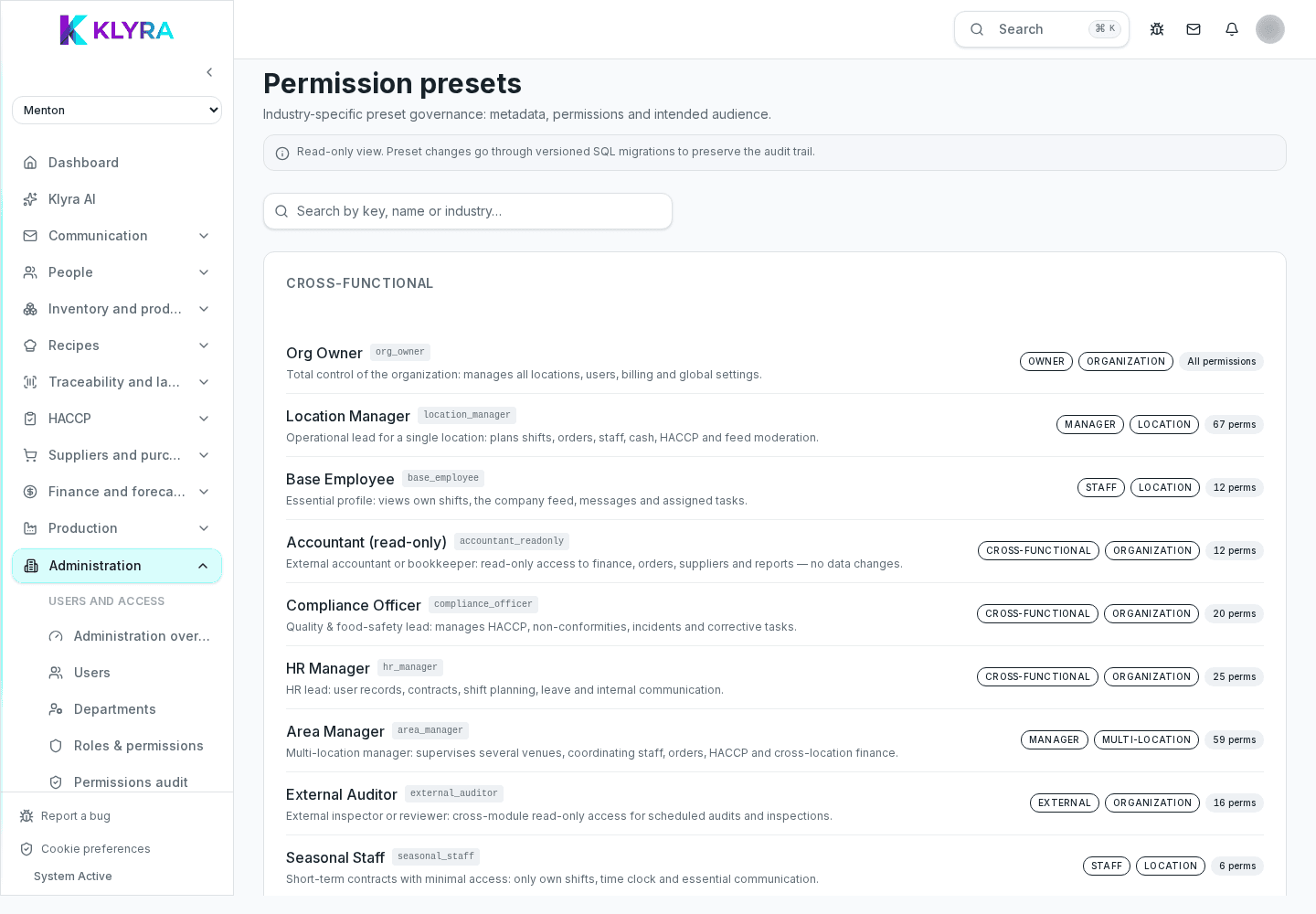
The job function describes the person’s actual work and is also used in shift scheduling, to understand how many people with a given skill are needed at a given time. It does not grant permissions by itself: a preset or permissions must be explicitly selected.
A cook, for instance, typically gets access to recipes and production but not to the till, while a waiter sees the till and the floor but not recipe costs.
The invitation flow suggests suitable presets: a ready-made bundle of permissions covering most real cases. Using presets speeds up onboarding, because you do not need to decide permission by permission every time you hire someone.
If someone needs something different from the standard preset, you can turn individual permissions on or off from their profile without changing their job function. This is useful, for example, for a waiter who also needs to log HACCP temperatures, or a cook who also handles supplier orders.
Individual changes stay attached to the person, not to the job function: if you later change someone else’s job function, previous exceptions do not carry over.
Exceptions work well for individual or temporary cases. If several people with the same job function systematically need the same extra permissions, it is worth flagging it to whoever configures the organisation: it might be better to review the job function itself.
Does changing job function automatically remove old permissions?
No. Job function and preset are separate: after the change, explicitly review and adjust the preset or permissions if needed.
Can I create a custom job function?
Available job functions are those set up for the organisation; for special cases it is better to use individual permissions on the person.
Are presets the same across all sites?
Yes, the preset depends on the job function chosen, not on the site where the person works.
How do I know which permissions a preset includes?
From the person’s profile you can see the list of active permissions, distinguishing base ones from the job function from those added manually.
Was this guide helpful?
Still need help?
Describe the issue: page, location, organisation and role are attached automatically.
Contact support