How automatic invoice review works and how to configure recipients for the email sent with every saved cash closure.
Invoices received from suppliers are automatically checked by KlyraOS for discrepancies against what was received or agreed, while the cash closure email is sent automatically to a separately configured list of recipients, such as the owner or accountant. Together these tools cut down the time spent on month-end checks.
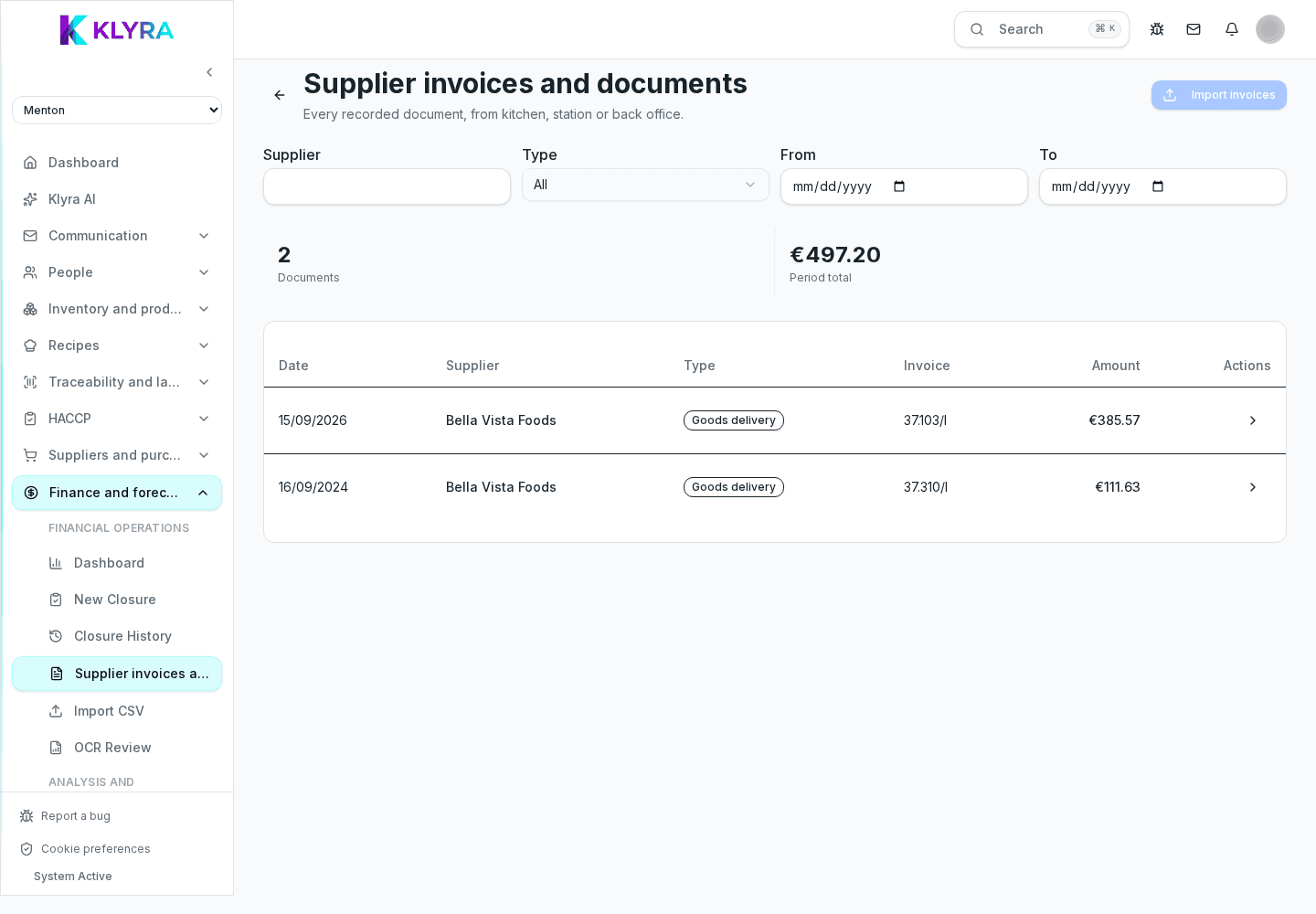
When an invoice arrives, KlyraOS compares it against recorded goods receipts and the agreed supplier price list, flagging price differences, mismatched quantities, or items invoiced but never received.
Every discrepancy stays pending until manually reviewed: you can accept it if justified, for example a price adjustment the supplier communicated, or dispute it before proceeding with payment.
Every recorded cash closure can be emailed to a list of recipients, managed under Admin, Finance, Settings, Recipients: it is a plain list of email addresses, each one valid for every site or for one specific site. There is no sending frequency to configure, because sending is tied to saving (or resending) a single closure, not to a periodic schedule.
At month end it is worth verifying that every cash closure has been recorded, that flagged invoices have been reviewed, and that the report sent to the accountant reflects the final figures for the period.
Does automatic review block invoice payment?
No, it only flags the discrepancy: the decision to pay or dispute remains with whoever manages finance.
Can I add several recipients for closure emails?
Yes, on the Recipients page you can add as many email addresses as you need; every closure sent reaches all active recipients valid for that site, with no frequency to configure.
What happens if I ignore a discrepancy?
It stays visible as pending until reviewed, so it does not go unnoticed in later checks.
Can the accountant see only reports or also detailed data?
It depends on the permissions assigned to their account: you can limit them to reports only or grant access to details.
Was this guide helpful?
Still need help?
Describe the issue: page, location, organisation and role are attached automatically.
Contact support