How to reach the Stripe portal from KlyraOS to download invoices, update your card, and check the tax details of your billing entities.
KlyraOS doesn’t keep its own invoice archive: invoices, payment method, and tax details are managed in Stripe’s secure customer portal, reachable with one click from the Subscription page. Organization tax details (legal name, VAT number, email) are instead collected in the "billing entities" shown on the same page.
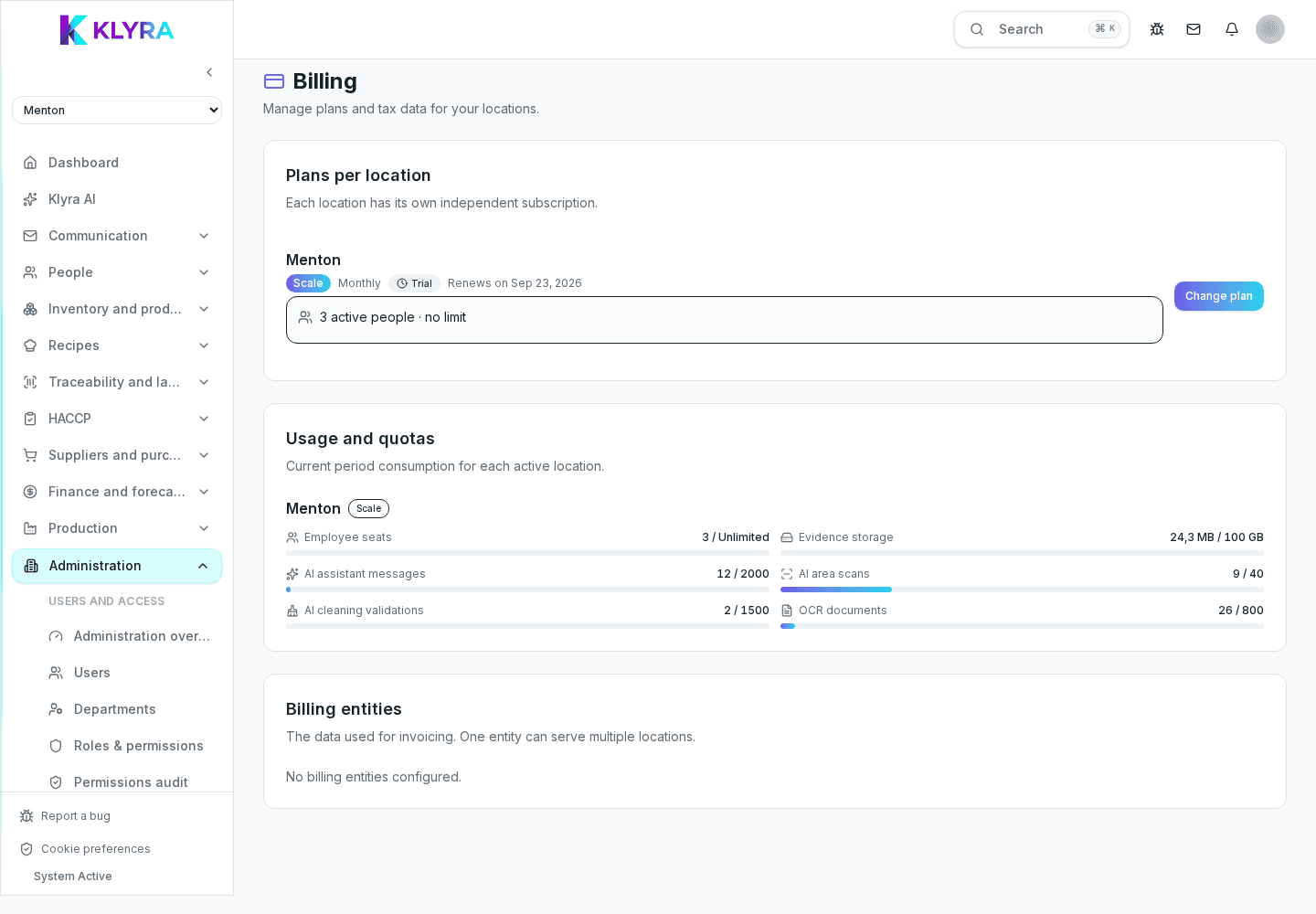
On the Subscription page, below the list of locations, you’ll find the billing entities section: each one shows legal name, VAT number, billing email, and country, plus a label showing whether it’s already linked to Stripe. A location is associated with one of these entities to pay for its plan.
If an entity is linked to Stripe, a "Manage" button appears (on the location row) or "Open portal" (on the entity card): both take you to the Stripe customer portal, where you can download issued invoices, change your card or debit method, and correct the billing address. When you’re done, the portal automatically brings you back to KlyraOS’s Subscription page.
An unlinked entity shows the label "No Stripe account" instead of the manage button: it doesn’t have a Stripe customer yet, typically because no first payment has ever been completed on any location tied to that entity.
When a charge fails, the affected location’s row shows a warning with the plan status and, if a grace period is still active, the date by which you need to update the payment method before access to plan features is suspended. Updating the card in the Stripe portal resolves the suspension as soon as the next charge succeeds.
Where do I download my organization’s invoices?
From the Stripe portal, opened with "Manage" on the location row or "Open portal" on the billing entity card in Administration, Subscription.
Why don’t I see the button to open the portal on an entity?
Because that entity doesn’t have a linked Stripe customer yet: the label "No Stripe account" shows until a first payment is completed.
Can I have several billing entities in the same organization?
Yes, each location can be associated with a different tax entity, for example if the locations belong to different legal companies.
What happens if I change my VAT number mid-year?
Update the details in the Stripe portal before the next renewal: future invoices will use the new details, past ones stay unchanged.
How long do I have before a location is suspended for a failed payment?
The location row shows the grace period date while it’s still active; once that date passes, access to plan features is suspended.
Was this guide helpful?
Still need help?
Describe the issue: page, location, organisation and role are attached automatically.
Contact support