How to switch to a different plan from the Subscription page and how to cancel via the Stripe portal, without losing access mid-cycle.
Changing a plan is done directly from KlyraOS’s Subscription page; cancelling a subscription instead happens in the Stripe customer portal linked to the location’s billing entity. In both cases, access stays fully active until the end of the already-paid cycle.
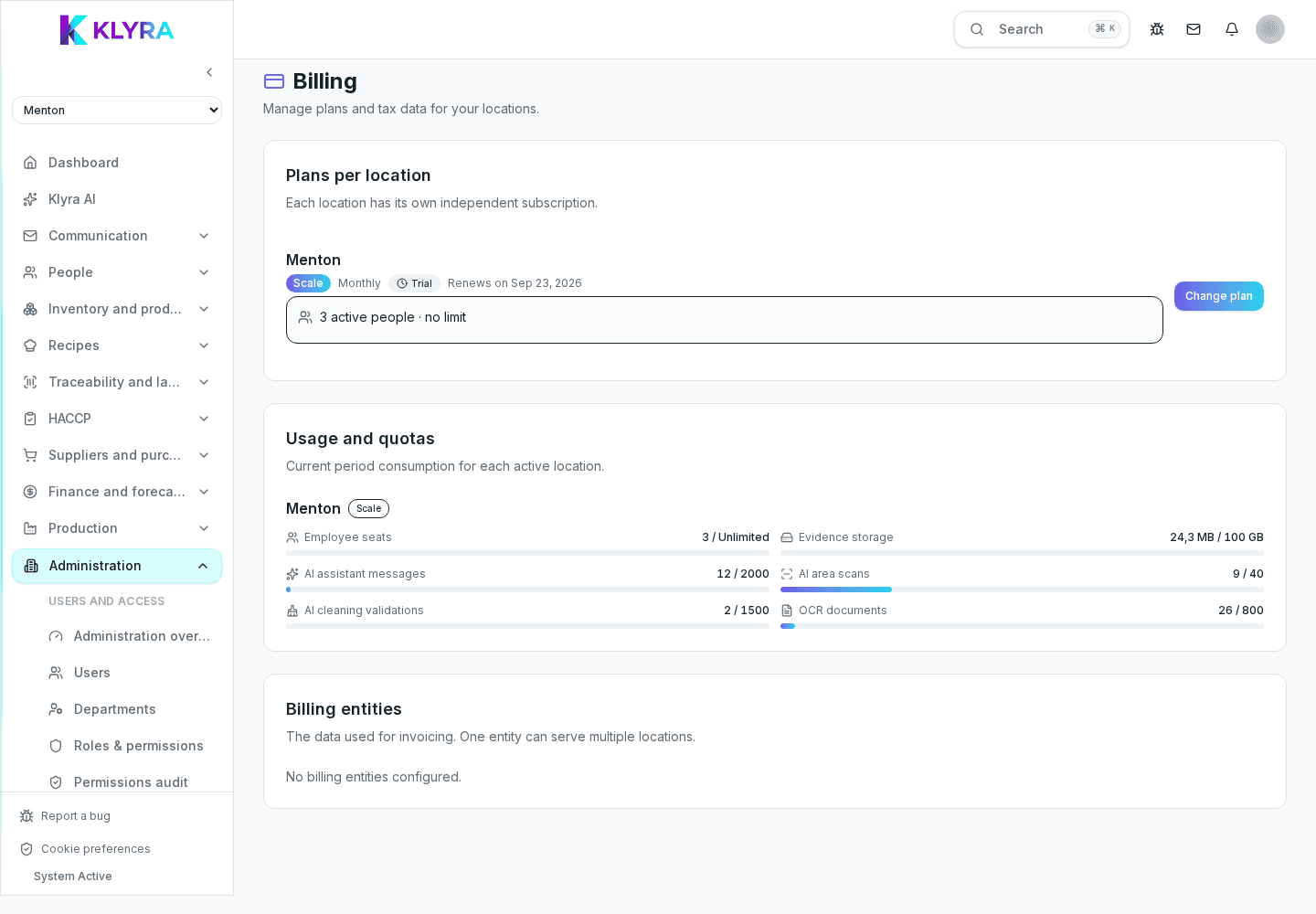
The "Change plan" button on the location row opens the comparison of available plans: choosing a higher tier completes payment immediately via Stripe and the new features unlock as soon as it’s confirmed. A downgrade should be considered carefully, because features not included in the lower plan become inaccessible.
Cancellation doesn’t have a dedicated page inside KlyraOS: it’s done from the Stripe portal, reachable with "Manage" on the location row or "Open portal" on the billing entity card. From there you can turn off auto-renewal; the subscription stays active until the end of the already-paid period.
Once auto-renewal has been turned off, the location’s row on the Subscription page shows the date the plan will end instead of the renewal date, so you always know if a location is about to lose its plan.
After the plan ends, the location’s data stays retained according to the policy described in Privacy and Security: you can still export it or reactivate a plan later, unless different legal retention obligations apply.
Where do I cancel a location’s subscription?
From the Stripe portal, opened with "Manage" on the location row in Administration, Subscription: there’s no cancellation button inside KlyraOS.
If I cancel now, do I lose access immediately?
No, access stays active until the end of the already-paid billing cycle, as shown by the date on the location row.
Can I undo a cancellation already set up?
Yes, by reopening the Stripe portal before the end of period date and turning auto-renewal back on.
Does downgrading make me lose historical data?
No, the data stays visible, but features not included in the new plan aren’t accessible until you reactivate them.
Is each location cancelled individually?
Yes, cancellation applies to a single location’s plan: other locations in the organization aren’t affected.
Was this guide helpful?
Still need help?
Describe the issue: page, location, organisation and role are attached automatically.
Contact support