How the per-location plan works in /admin/billing, what each tier unlocks, and how to switch between monthly and yearly billing.
In KlyraOS, the subscription isn’t organization-wide: each location has its own plan, chosen and changed from the Subscription page. Every plan tier unlocks a different set of features, from basic operational modules to the advanced capabilities shown in the current price list.
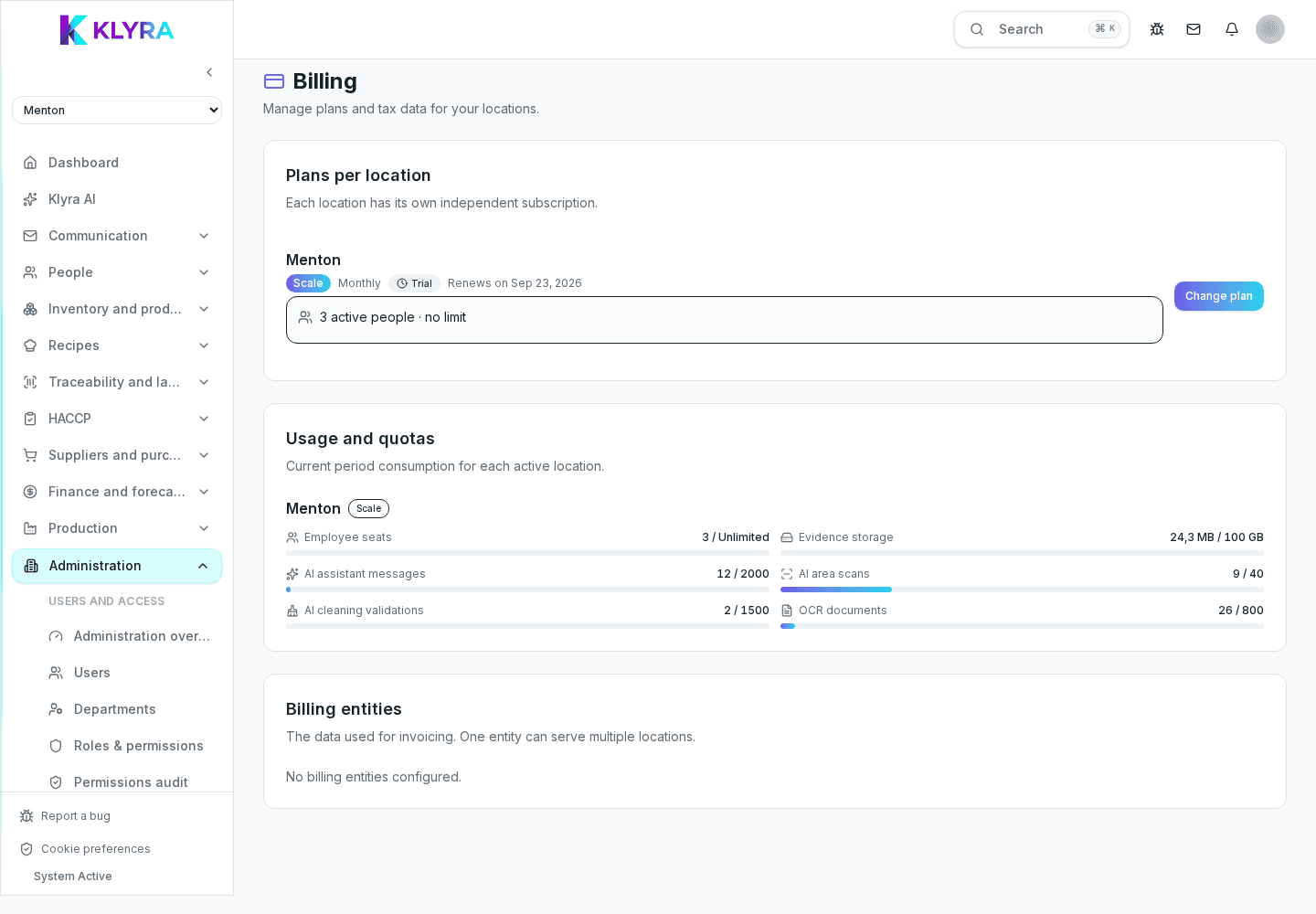
Opening Administration, then Subscription, shows the list of every location in your organization with its plan, status, and renewal or cancellation date. Two locations in the same organization can have different plans: one may stay on a basic tier while another uses a higher plan with advanced modules.
For a location without an active plan, the row shows "No plan" and the button lets you activate one for the first time.
Each plan belongs to a tier (for example Free, Hygiene, Core, Pro, Scale) that determines which modules are available: staff management, shifts, and inventory require at least the Core tier; HACCP is already included from the Hygiene tier; the AI assistant, dynamic food cost, smart alerts, and forecasts require the Pro tier; Scale is intended for multi-location organisations and enterprise capabilities shown in the current price list. POS, SSO, generic external APIs and self-service BI exports are not included until explicitly marked available.
The "Change plan" button (or "Activate plan" if the location doesn’t have one yet) opens a window comparing the available plans: pick the tier and monthly or yearly billing, then you’re redirected to secure payment via Stripe. The new plan becomes active as soon as payment is confirmed.
Is the plan per organization or per location?
It’s per location: each location has its own plan, status, and billing cycle, all visible together on the Subscription page.
Can locations in the same organization have different plans?
Yes, that’s normal: one location can stay on a basic tier while another uses a higher plan with more modules.
What happens if I open a feature not included in my plan?
You’re taken to the Subscription page with a banner showing the requested feature and the minimum plan tier needed to unlock it.
Can I pay yearly instead of monthly?
Yes, the plan selection window lets you switch between monthly and yearly billing before confirming.
What does the Hygiene tier include compared to Core?
The Hygiene tier already unlocks HACCP; staff, shifts, inventory, and reports need the Core tier.
Was this guide helpful?
Still need help?
Describe the issue: page, location, organisation and role are attached automatically.
Contact support