How to request a correction when a clock event is missing and how managers approve or reject the request.
It can happen to forget a clock event or find an incorrect entry on the timesheet. KlyraOS lets the person request a correction from the app, which the manager reviews before it enters the hours calculation.
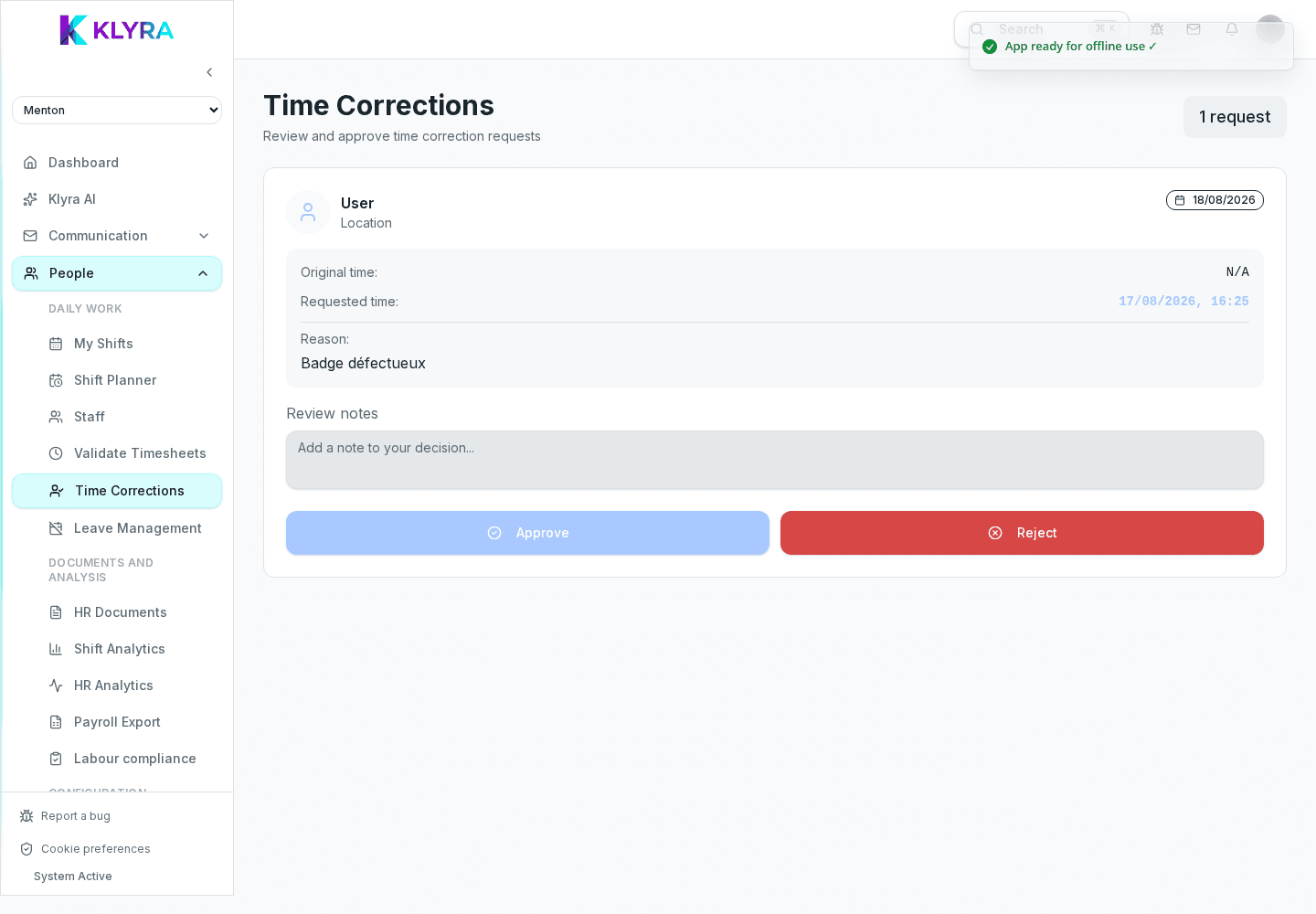
The most common requests involve a forgotten clock-out, a Station temporarily offline at the time of clocking, or a recorded time that does not match what was actually worked due to a technical issue.
A correction never replaces the real clock event from Station: it remains a tool to fix an anomalous entry, not an alternative way of reporting presence.
From their timesheet in the app, the person selects the affected day, indicates the correct time and a short reason. The request shows as "pending" until the manager reviews it.
The manager sees all pending requests in one list, comparing the recorded time with the proposed one. Approving updates the timesheet automatically; rejecting sends the person a notification with the reason.
Who can request a correction?
Anyone who clocked in via Station can request a correction on their timesheet from the personal app.
Can I correct a clock event from more than a month ago?
It depends on administration settings: some organisations limit the period within which corrections can be requested.
Can the manager edit the timesheet directly without a request?
Yes, with the right permission they can intervene directly on the timesheet, but the action is still logged in the history.
Do approved corrections affect payroll calculation?
Yes, once approved they update the timesheet used for the payroll export.
Was this guide helpful?
Still need help?
Describe the issue: page, location, organisation and role are attached automatically.
Contact support