How Admin, Manager and Base work alongside custom roles and person-specific permissions.
Every organisation starts with three seeded roles — Admin, Manager and Base — and can create additional roles with its own levels and permissions. Role, assigned sites and individual permissions work together and remain separate from the person’s job function.
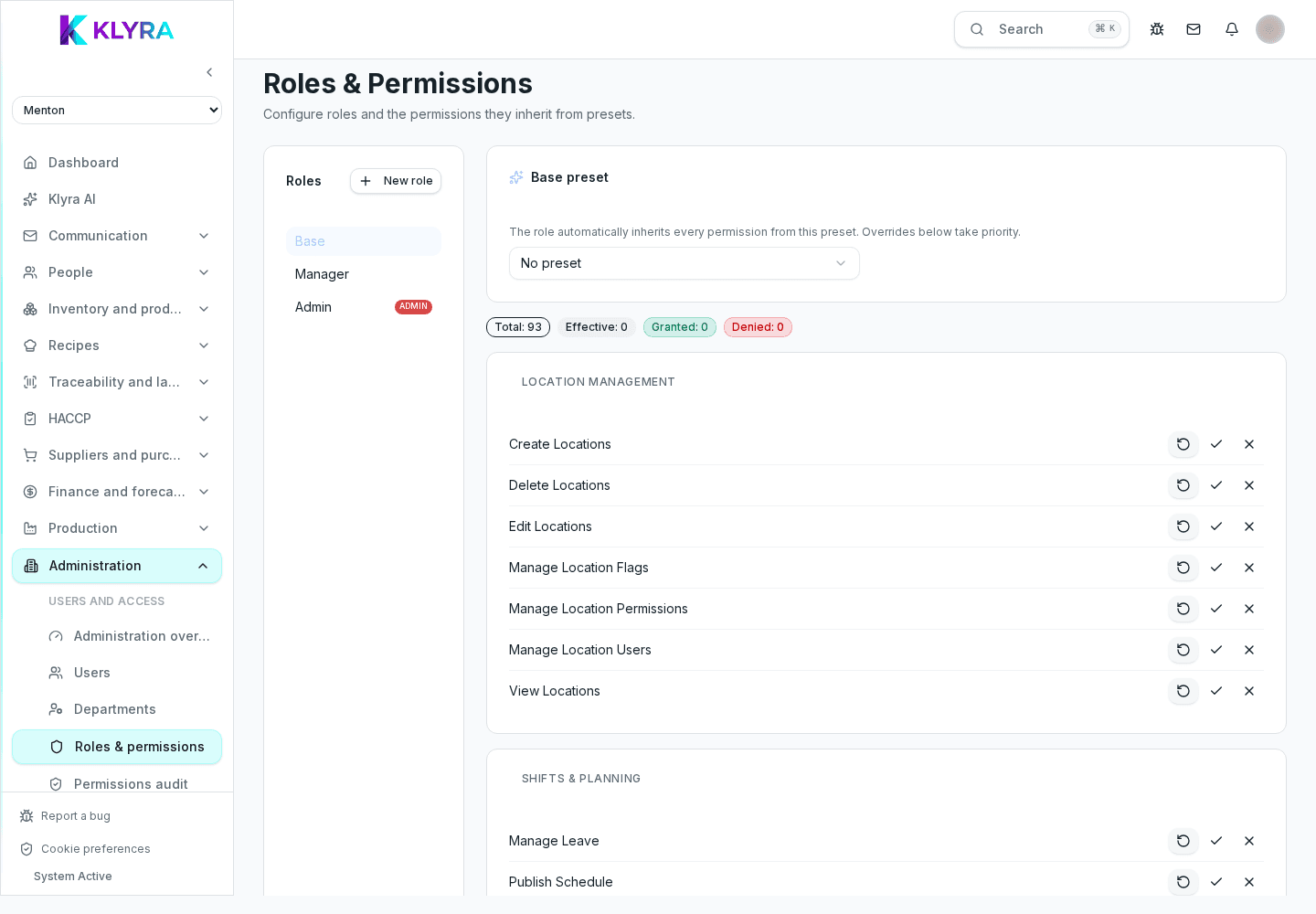
The administrator sees and configures the whole organisation: sites, billing, integrations, users and compliance settings. This level suits whoever manages the business overall, not a single location.
The number of administrators usually stays limited: the more people have this level, the higher the risk of uncoordinated changes to settings shared by every site.
The manager operationally runs one or more assigned sites: schedules shifts, approves clock-in corrections, handles goods receiving and HACCP checks, but does not touch global settings such as organisation billing.
Staff is the operational level: they see their own shifts, clock in from Station, check the recipes and HACCP procedures relevant to them, but do not access site settings or other colleagues’ data.
The level places roles in the hierarchy, while permissions determine the actions allowed. You can start from Admin, Manager or Base, create a custom role, and then adjust access without changing the person’s job function.
Can a manager have access to just one site?
Yes, the manager level defines what they can do, while assigned sites define where they can do it: the two aspects are independent.
Does every organisation need an administrator?
Yes, at least one person needs this level to manage global settings such as billing and compliance.
Can I change someone’s level at any time?
Yes, you can change it from the user profile without sending a new invitation.
Does the level affect the notifications received?
Yes, some notifications such as pending approvals are only visible to manager or administrator level.
Was this guide helpful?
Still need help?
Describe the issue: page, location, organisation and role are attached automatically.
Contact support