How to create equipment sheets, set temperature ranges, periodic monitoring and scheduled maintenance.
Every fridge, oven, slicer or blast chiller on site can have its own sheet in KlyraOS, with technical data, the temperature range to respect and the next maintenance due. The equipment registry is also the starting point for linking temperatures, cleaning and periodic checks to the right tool.
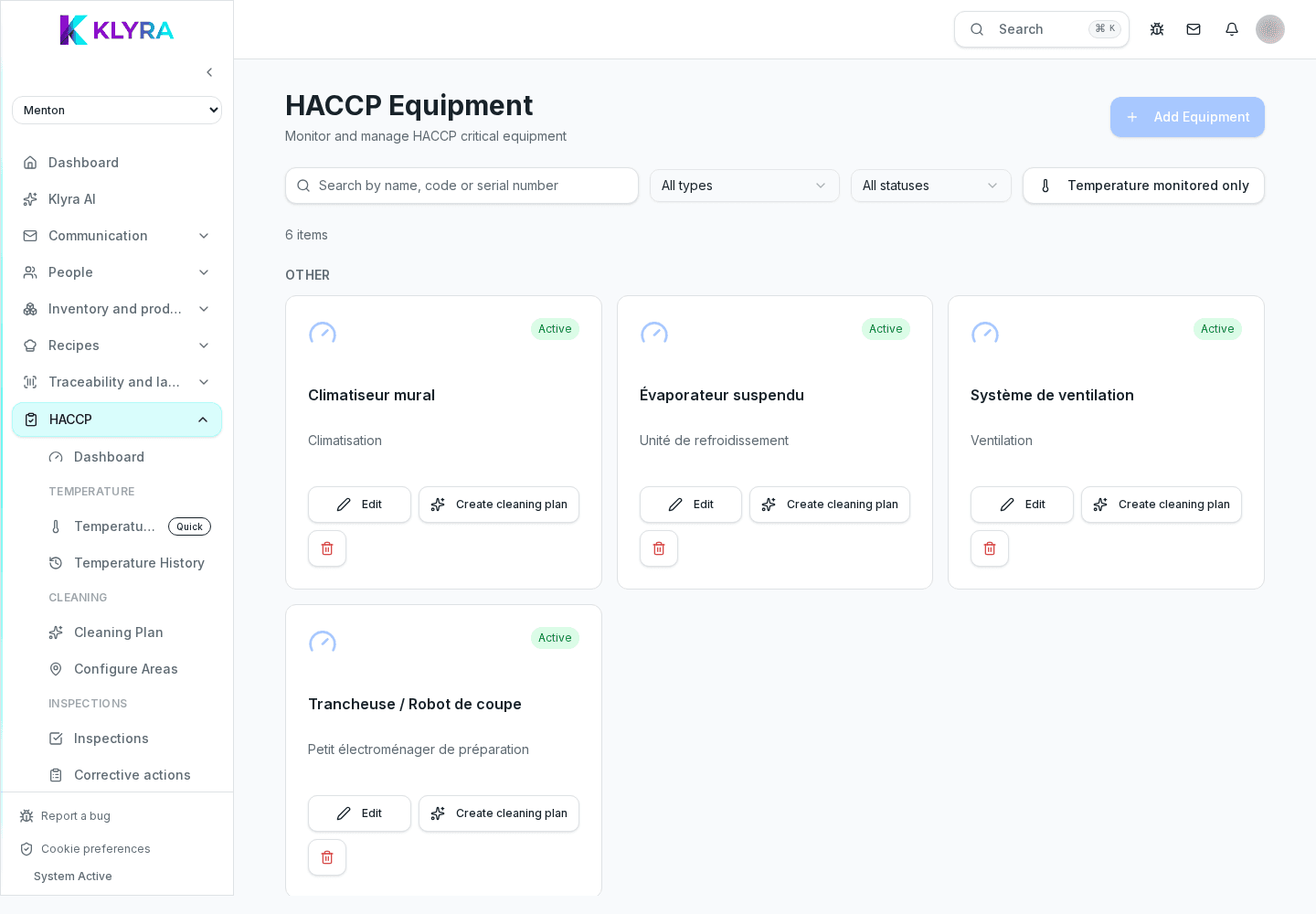
The registry groups equipment by family (cold chain, hot line, prep, wash, service and logistics, other) and shows for each one its status, internal code, temperature range where relevant, and the next maintenance due.
You can filter the list by type, by status, or show only equipment with temperature monitoring enabled, useful when a site has dozens of fridges and cold rooms.
When you create one, you choose a type from the proposed groups (fridge, blast chiller, oven, fryer, slicer, dishwasher, hood, and others): the type you pick automatically determines which checks make sense to schedule on that tool, shown as reminders on the sheet.
Not every type has a temperature range: for a slicer or a prep table, for example, temperature fields do not appear because they are not relevant.
For equipment that stores food you can set a minimum and maximum temperature: KlyraOS checks that the minimum is always below the maximum before saving. If you enable periodic monitoring, you also choose the required reading frequency (daily, twice daily or weekly), which guides staff in manual entries or in reading connected sensors.
Every piece of equipment has a status (active, under maintenance, inactive) to update when the tool is stopped for a fault or a technical intervention. The next maintenance date is an informational field: it stays visible on the sheet and in the list, but it does not by itself generate an automatic notification, so it's worth pairing it with a recurring HACCP task if you need a reminder.
From the sheet of a piece of equipment for which cleaning is a relevant check, you can start creating a cleaning plan already linked to that tool, without having to recreate the area from scratch in the general plan.
Does every piece of equipment need a temperature range?
No, only types that store food (fridges, cold rooms, refrigerated counters, blast chillers) show temperature fields; slicers, tables or dishwashers do not have them.
Does KlyraOS warn me when scheduled maintenance approaches?
The next maintenance date stays visible on the sheet and in the list, but it does not generate a notification by itself: link a recurring HACCP task to that deadline if you need an active reminder.
Can I create a cleaning plan directly from a piece of equipment?
Yes, for types that include cleaning among their allowed controls you can start creating the cleaning plan already linked to that tool from its sheet.
What happens if I delete equipment linked to active checks?
Deletion requires explicit confirmation; check first that it isn't linked to active temperatures, cleaning or plans you should otherwise manage.
Was this guide helpful?
Still need help?
Describe the issue: page, location, organisation and role are attached automatically.
Contact support