What you find under Administration, Subscription: per-location plan, seats and usage, invoices and cancellation via the Stripe portal.
The Subscription page (Administration, Subscription) is the single place to manage everything about KlyraOS’s payments: it shows each location’s plan, how many seats and how much usage quota are left, and it links to the Stripe portal for invoices, payment method, and cancellation. There’s no other hidden page: everything starts here.
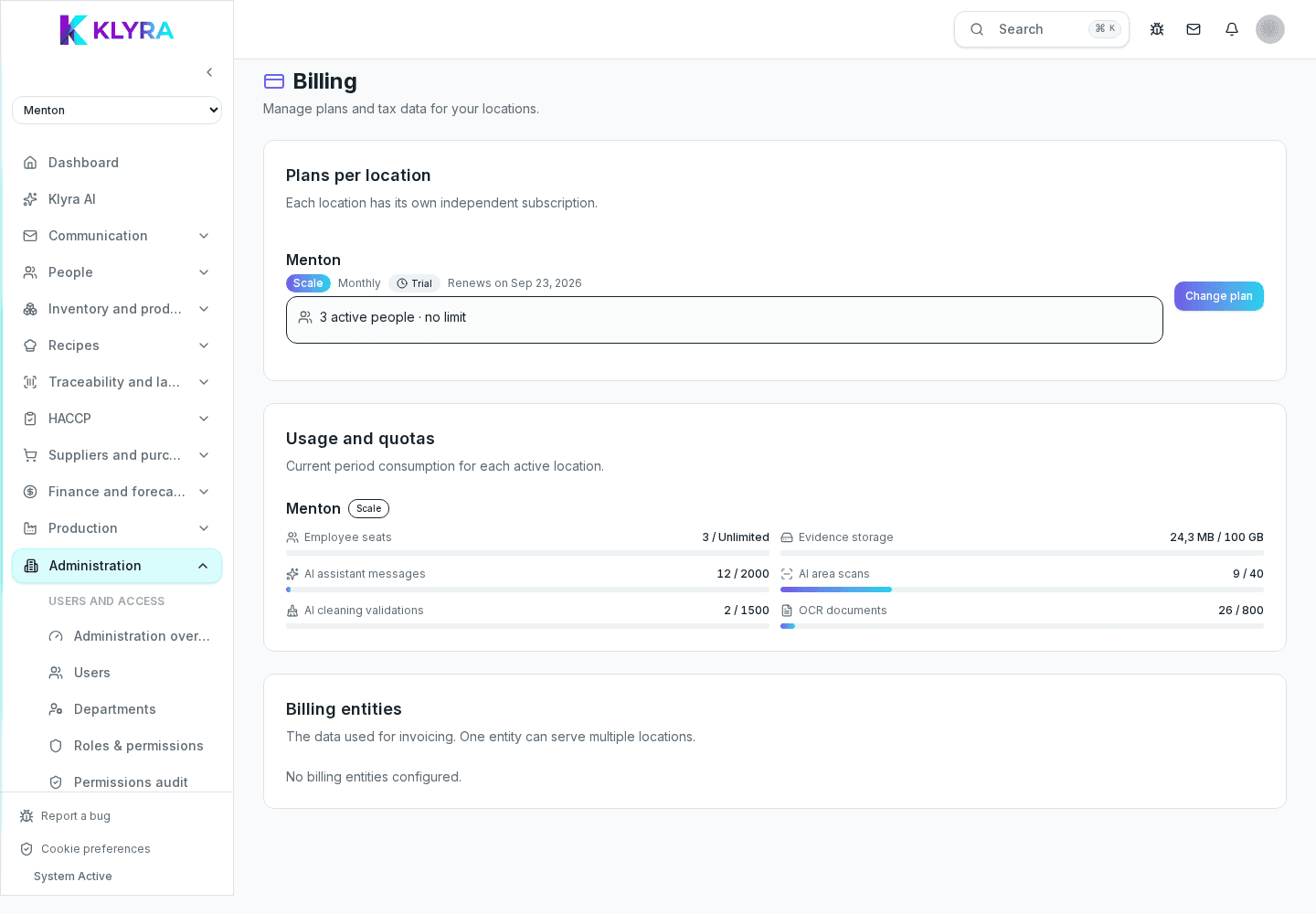
At the top of the page you’ll find the list of your organization’s locations, each with its own plan, status, and renewal or cancellation date. There’s no single plan for the whole organization: each location can stay on a basic tier or move to a higher plan independently of the others.
Below each location, a dedicated row shows user seats used against the plan limit, with the option to buy extra seats when needed. Further down, the Usage panel summarizes storage space per location and, when the plan includes them, AI feature quotas.
KlyraOS doesn’t keep its own invoice archive: clicking "Manage" (on a location) or "Open portal" (on a billing entity) takes you to the Stripe customer portal, where you download invoices, update your card, and correct the billing address. Organization tax details (legal name, VAT number) stay visible in the billing entities listed on the page.
Changing plan happens directly in KlyraOS with the "Change plan" button; cancelling instead is always done from the Stripe portal, by turning off auto-renewal. In both cases access stays active until the end of the already-paid cycle.
What exactly is on the Subscription page?
Each location’s plan and status, the seats and usage panel, billing entities, and links to the Stripe portal.
Do I need to look elsewhere in the app for invoices?
No, all invoices are downloaded from the Stripe portal, reachable with one click from the Subscription page.
Is the plan the same for the whole organization?
No, each location has its own plan, independent of other locations in the same organization.
Where do I cancel a subscription?
From the Stripe portal linked to the location: there’s no cancel button inside KlyraOS.
What happens when a location is close to its seat limit?
The seats row turns yellow or red and you can buy extra seats or consider a higher plan directly from the page.
Was this guide helpful?
Still need help?
Describe the issue: page, location, organisation and role are attached automatically.
Contact support